
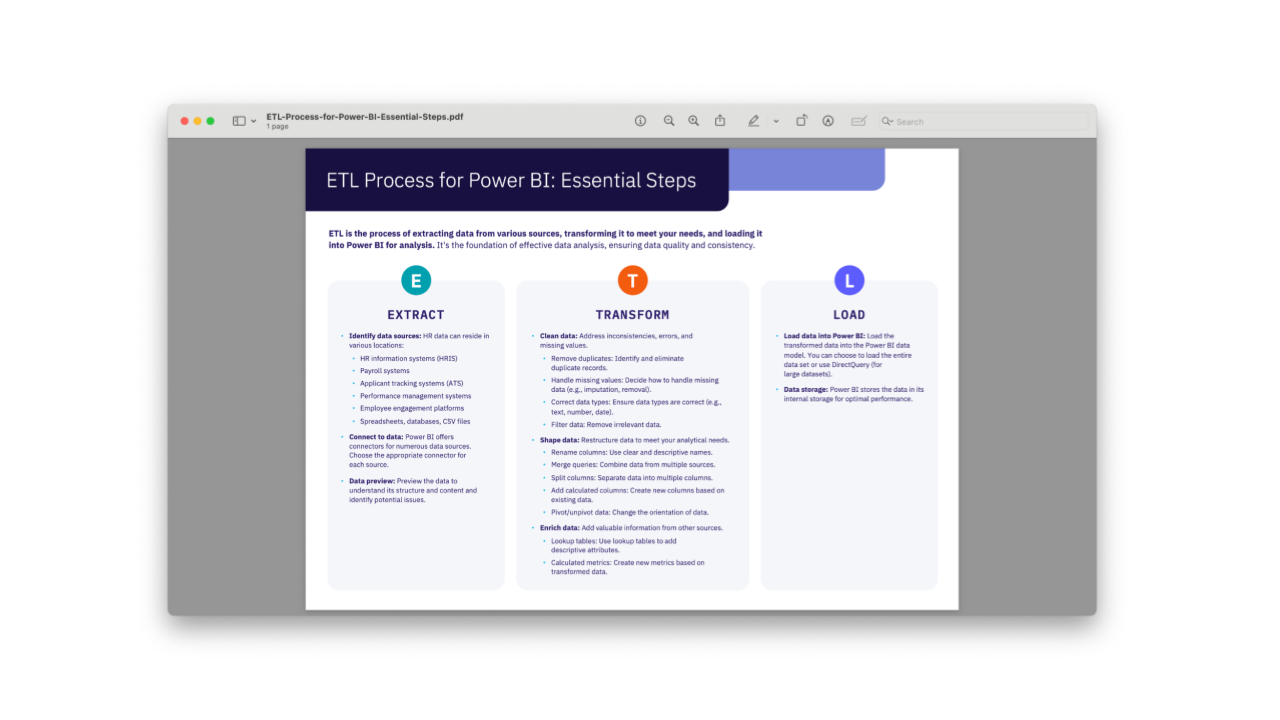

This cheat sheet outlines the essential extract, transform, and load process for preparing HR data for analysis in Power BI. It is designed for HR professionals who want to improve data quality and consistency before building reports and dashboards.
Included in this resource:
- Extract guidance covering common HR data sources, including HRIS, payroll, applicant tracking, performance management, employee engagement, spreadsheet, database, and CSV data
- Guidance on connecting to source systems and previewing data before transformation
- Transform steps covering data cleaning, duplicate removal, missing values, data types, filtering, query shaping, column renaming, query merging, column splitting, calculated columns, and pivoting or unpivoting data
- Guidance on enriching datasets through external information, lookup tables, and calculated metrics
- Load guidance covering loading transformed data into the Power BI data model, using DirectQuery for large datasets, and Power BI data storage